Lobster’s Automated Monitoring Tools
Political information is in constant change, and it can be hard to keep up with without the proper tools. With Lobster’s automated monitoring, it is now easier to keep an eye on any topics relevant to your work in a fast, simple and effective way.
Lobster allows you to track:
– Your projects, get alerted on updates
– Legislative processes, always stay up to date with any changes and updates
– Social media discussions, get notified when people important to your cause talk about it
– Groups of people, for example, get alerted when there are changes to the cabinet of a minister
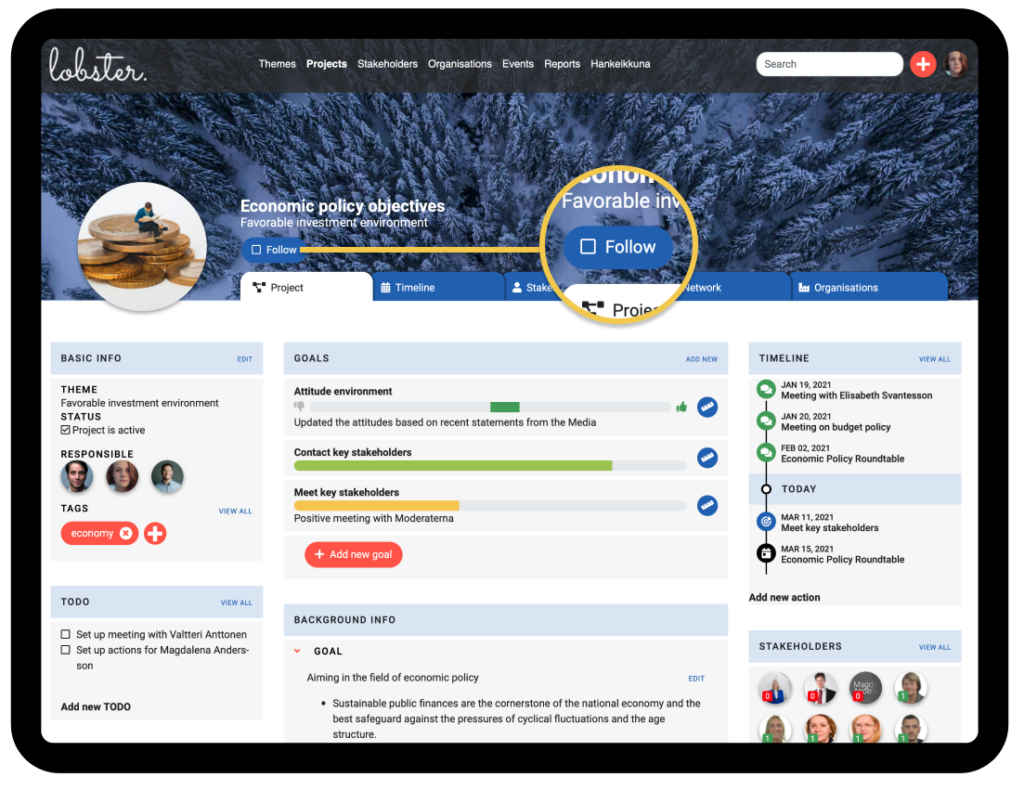
Once you find something that you need to stay informed about, just click the Follow button under the title or in the Basic info section. Lobster will monitor this content and next time there is an update, you will be immediately notified by email.
Stay up-to-date on legislative projects
With Lobster, you can automatically track legislative processes from strategies and preparatory committees to legislative drafting. (Hankeikkuna).
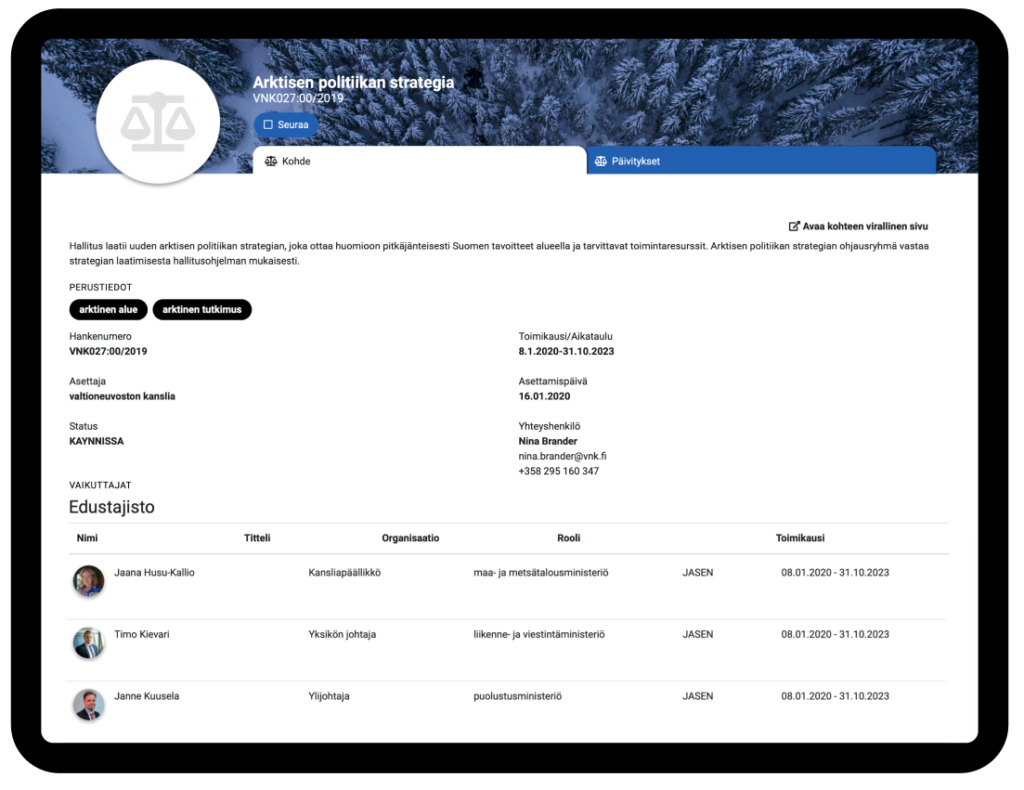
Once you find a legislative process you want to track, click the Follow button under its title and you’ll be automatically notified of any changes or updates in that particular project.
Get notified of relevant conversations on Twitter
With the help of Lobster, it is easier to keep an eye on both stakeholders and topics that are relevant to your work. Lobster combs through the tweets of all the stakeholders and organisations in Lobster’s data while filtering out the rest of the Twitter conversation.
Note that Lobster also tracks the stakeholders and organisations your team has added, if Twitter account address has been added to their profile.
Each project in Lobster automatically lists recent tweets from stakeholders and organisations related to it.
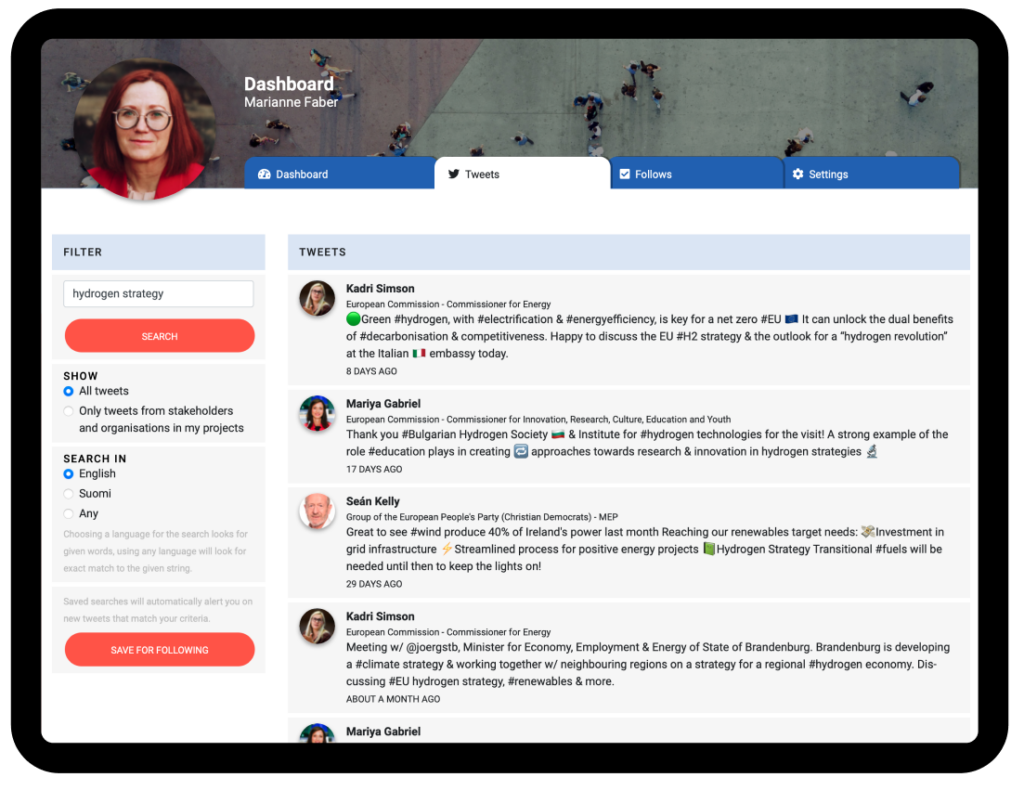
We have also built a powerful search for tracking important topics in stakeholders and their organisation’s tweets.
Just type in a topic you are interested in and see how relevant political stakeholders are reacting to it. To follow the discussion in the future, just save the search for following. Once the keywords surface in a stakeholder’s tweet, we’ll notify you and you can join the conversation while it’s fresh.
We highly recommend tracking your organisation’s name and any keywords relevant to you.
Track stakeholder groups with tags
With Lobster’s tags, you can organise and track stakeholder groups relevant to you. For example, if your organisation advocates health-related causes, you can create a tag “MedicalProfessionals” and tag all the stakeholders with backgrounds in medical training with it.
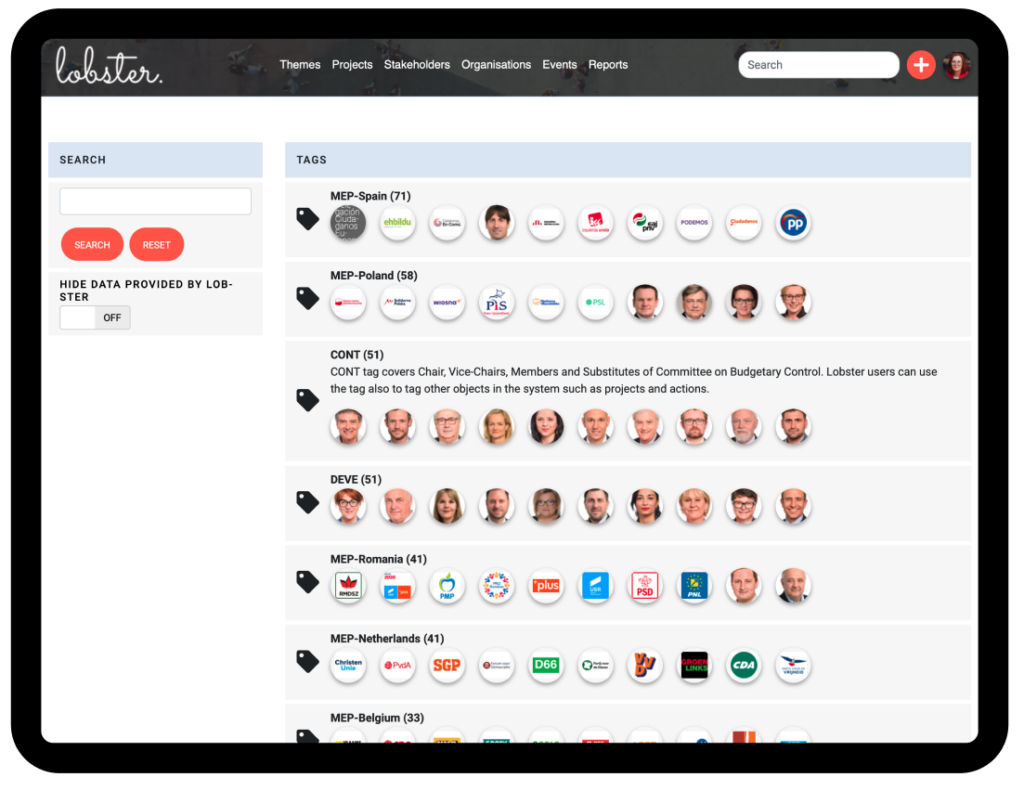
In Lobster’s data, we use tags mostly to manage groups of stakeholders and organisations such as MEPs of a particular country, members of a committee, and in some cases political advisors of MPs.
By following the relevant tags, you’ll be notified when there are changes in these positions.
How to control your notifications
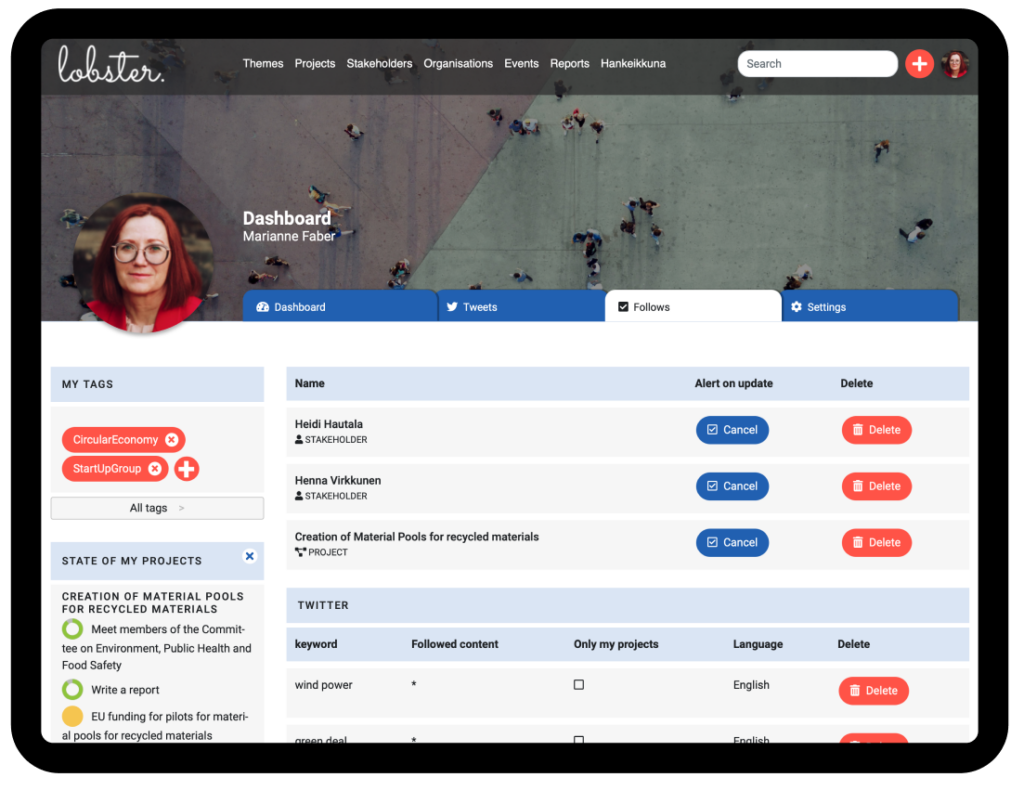
To manage your follows and notifications, go to the Follows -tab on your Lobster Dashboard. There you’ll find all the content that you are following and can temporarily disable or permanently delete any notifications.