
Transparency Register Authentication for Mass Reporting
The Transparency Register interfaces enable organisations to authenticate with the register and report automatically through Lobster.
Authentication works through an API key: the reporting organisation creates the key in the Transparency Register and enters it into Lobster. From that moment on, Lobster is authorised to transfer the organisation’s activity reports securely and directly to the register.
Here is how it works:
To create the key, the user authorised by the organisation logs in to the Transparency Register with Suomi.fi credentials.
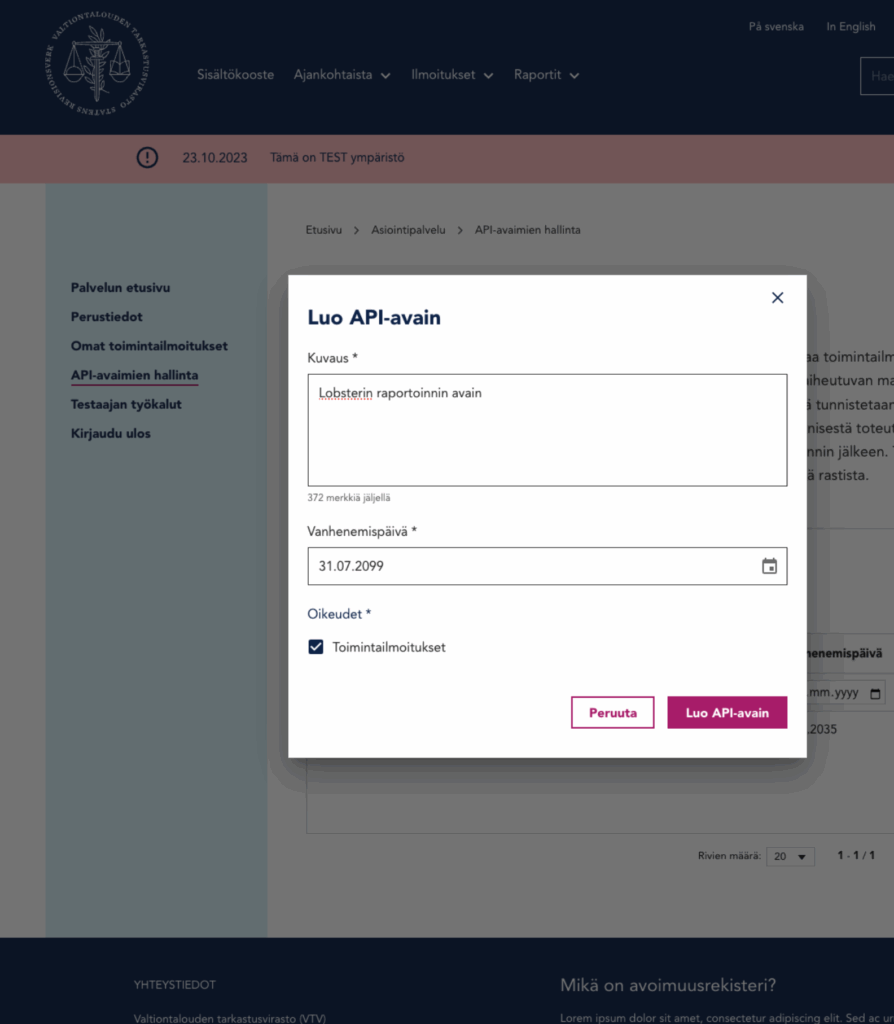
Next, navigate to API key management. A new key can then be created by giving it a description, setting a validity period (we recommend long validity to avoid key expiration), and granting the permission for activity reports.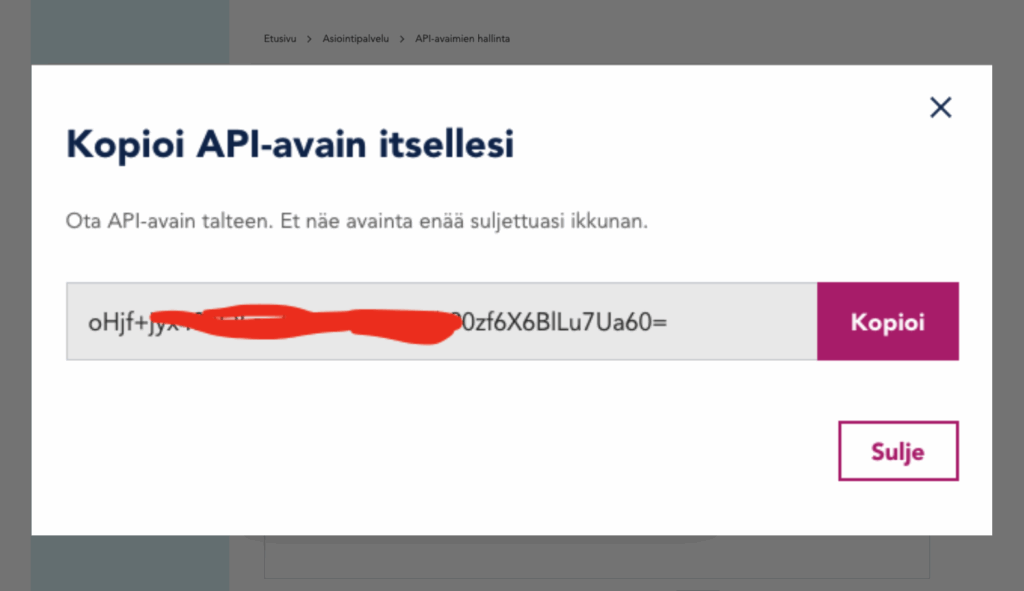
Once generated, the key must be copied and pasted into Lobster. Enter the key to your organisation’s basic info, where you find the field for Yransparency Register Reporting. Enter the API key to the NAOF API key field.
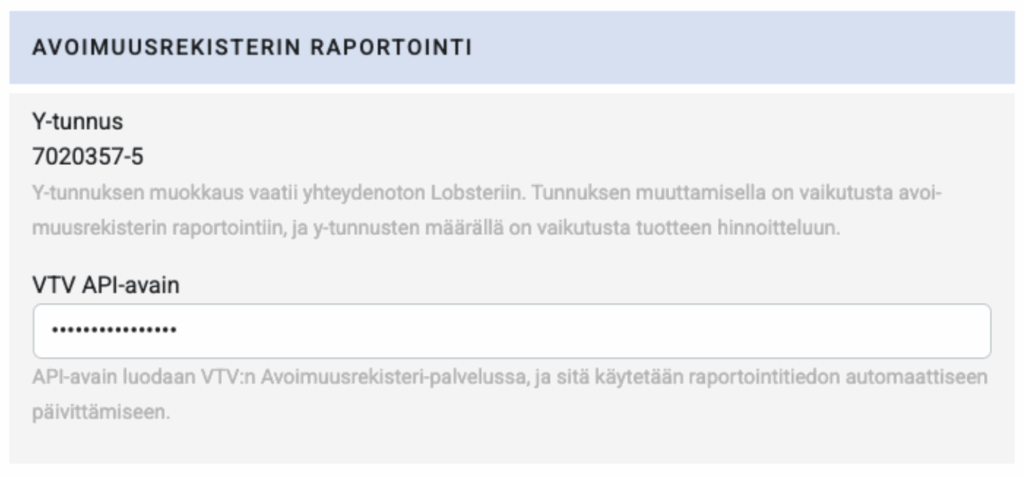
⚠️ important to note: This key is organisation-specific and confidential, so it should never be shared outside your organisation.
—
Now Lobster is fully connected to the register on behalf of the organisation.
Note however that the data transferred to the Transparency Register must meet strict formatting requirements. Lobster provides an error report that helps our clients ensure data accuracy before submission.
When everything is in order, Lobster automatically transfers the activity report data every night during the second month of the reporting period. The data is stored in the Transparency Register as drafts.