
Transparency Register Error Report and Submitting the Report Through the API
Once authentication has been set up, Lobster takes care of report submission automatically. Every night during the second month of the reporting period, Lobster transfers activity report data directly into the Transparency Register, where it is stored as a draft.
If information in Lobster changes, the updates are transferred to the register the following night. This automation significantly reduces manual work, prevents reporting delays, and lowers the risk of human error.
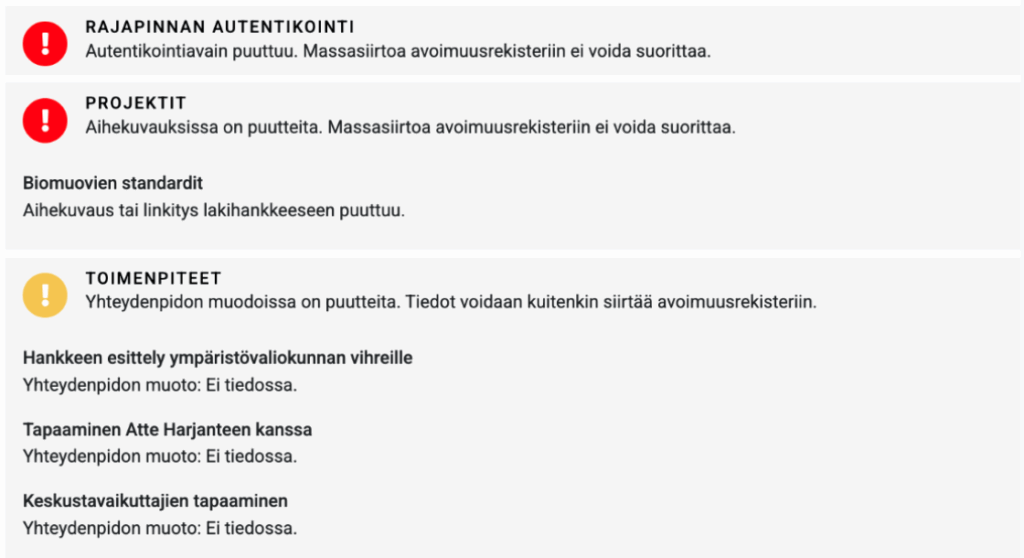
To help ensure accuracy, Lobster also produces an error report. Since the register requires data to meet strict formatting rules, the error report highlights problems such as invalid API keys, missing or incorrect business IDs, incomplete project descriptions or legislative links, or missing forms of contact.
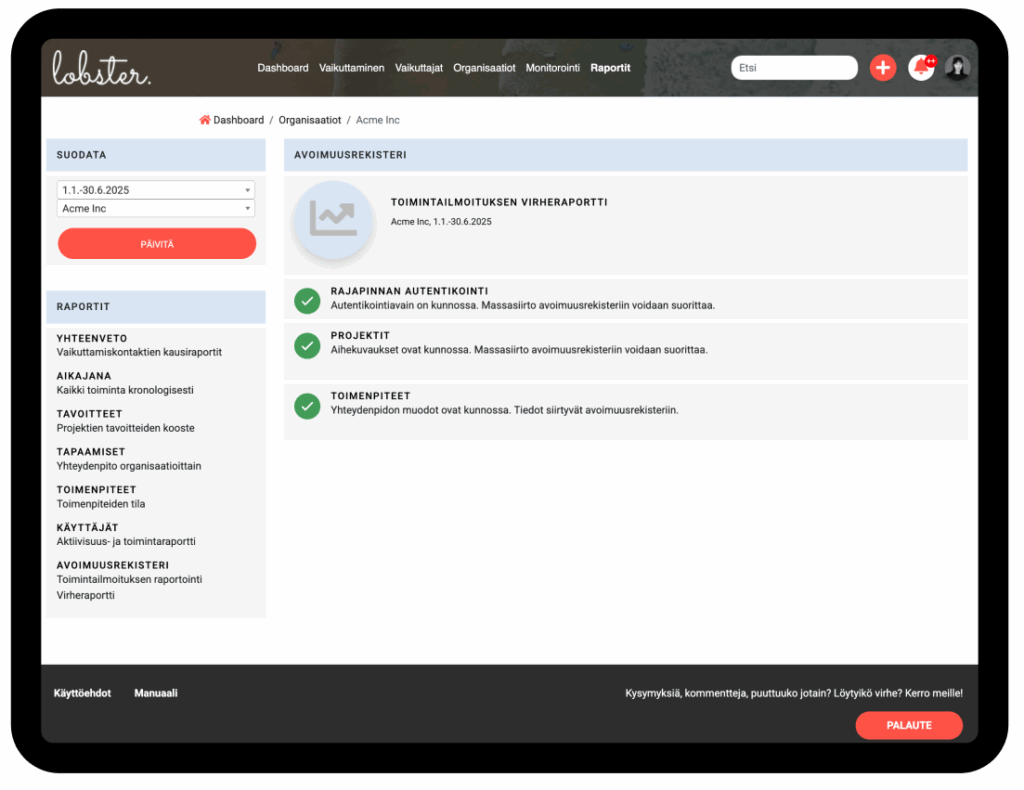
Errors marked with a red exclamation point block the transfer entirely, allowing organisations to correct the data before it reaches the register.
Errors marked with a yellow exclamation point do not block the transfer, but contain data that may need correcting.
Once everything is correct, Lobster transfers the data automatically each night during the second month of the reporting period (February or August).
The final step is for an authorised person in the organisation to log in to the Transparency Register and approve the report with just a few clicks.
If further changes are needed after approval, they are made directly in the register. In this way, Lobster ensures reporting readiness, streamlines the process, and makes compliance with the Transparency Register requirements both effortless and reliable.